


A wet morning beside Southern Cross Station in Melbourne, taken on an Android phone with location on. In a copy, we moved the time the photo says it was taken three hours later. Nothing else changed.

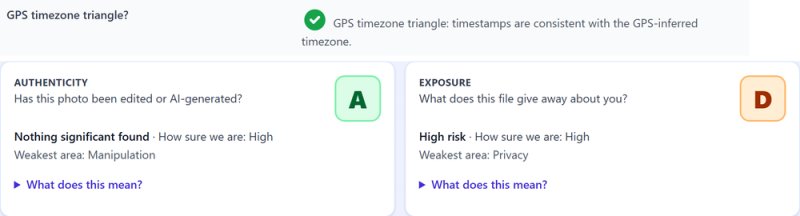
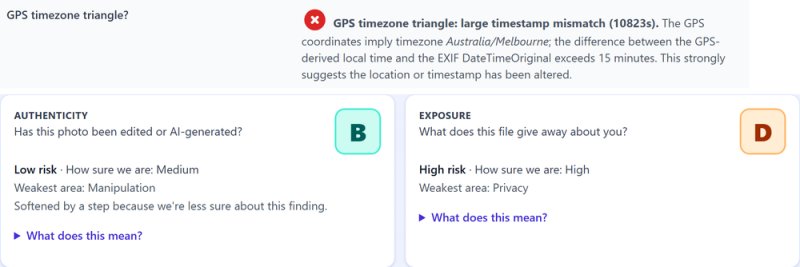


What changed
- One time, three places. The file stores the date and time in three places. We changed all three.
- The GPS time stayed. The phone also records the satellite's own time with the location.
- They no longer close. The location puts the photo in Melbourne's time zone, and that clock now disagrees with the capture time.
What the report said: Authenticity A for the original, B for the copy. Exposure D for both: each still gives away where it was taken.
Updated 14 November 2026
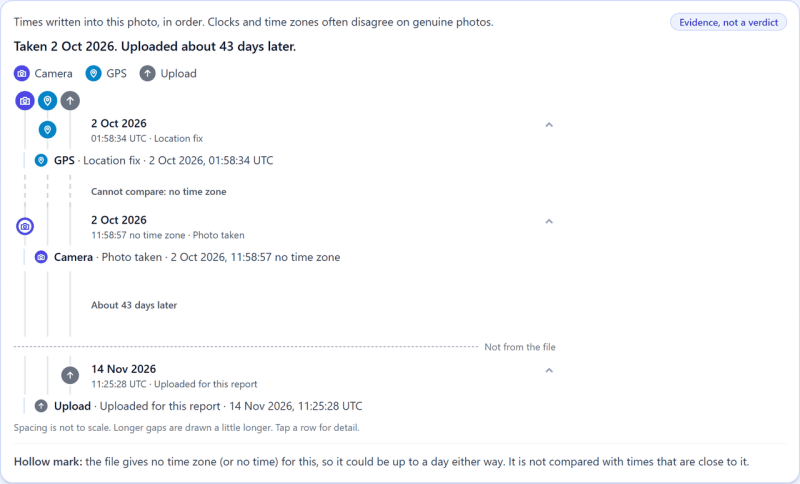
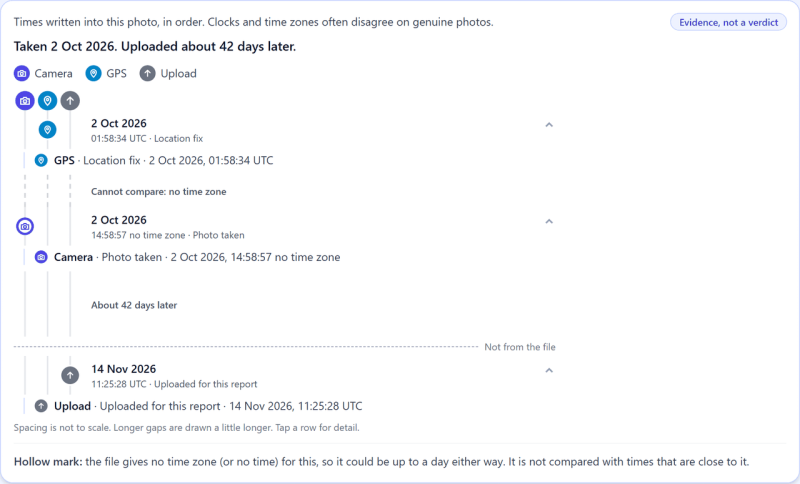
We ran both files again. The grades are the same. The evidence maps are the same on both: changing a time leaves no mark in the picture. The new Times in the file panel is where it shows.
-
-
-
The GPS time is 01:58 UTC on both. Melbourne was ten hours ahead that day, so that's 11:58.
-
The original says 11:58. It agrees.
-
The copy says 14:58. Three hours later than the satellites.


The camera's time carries no time zone, so the panel says "Cannot compare" and leaves the sum to you. It's a short one.
Go deeper
- How to check a photo against a story: Verifying a source photo before publishing
- How the check works: What the "GPS Timezone Triangle?" Row on a Forensic Report Actually Checks, by Kenneth Springer
- Try it on your own photo


