Is this photo real? Three examples
We checked three real photos: one made by AI, one edited, and one straight from a camera. Here is what each snapWONDERS report found, and why it matters before you trust, share or publish a photo.
An AI-generated photo
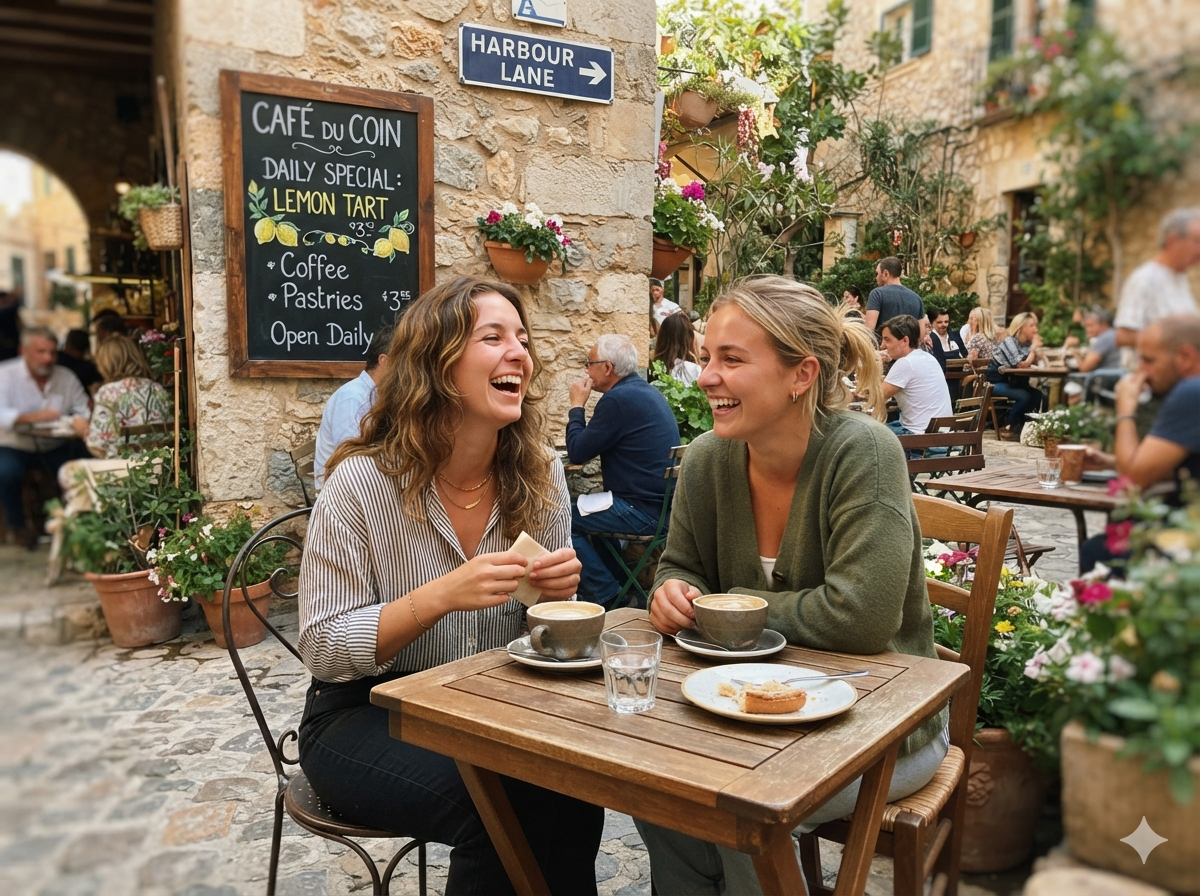
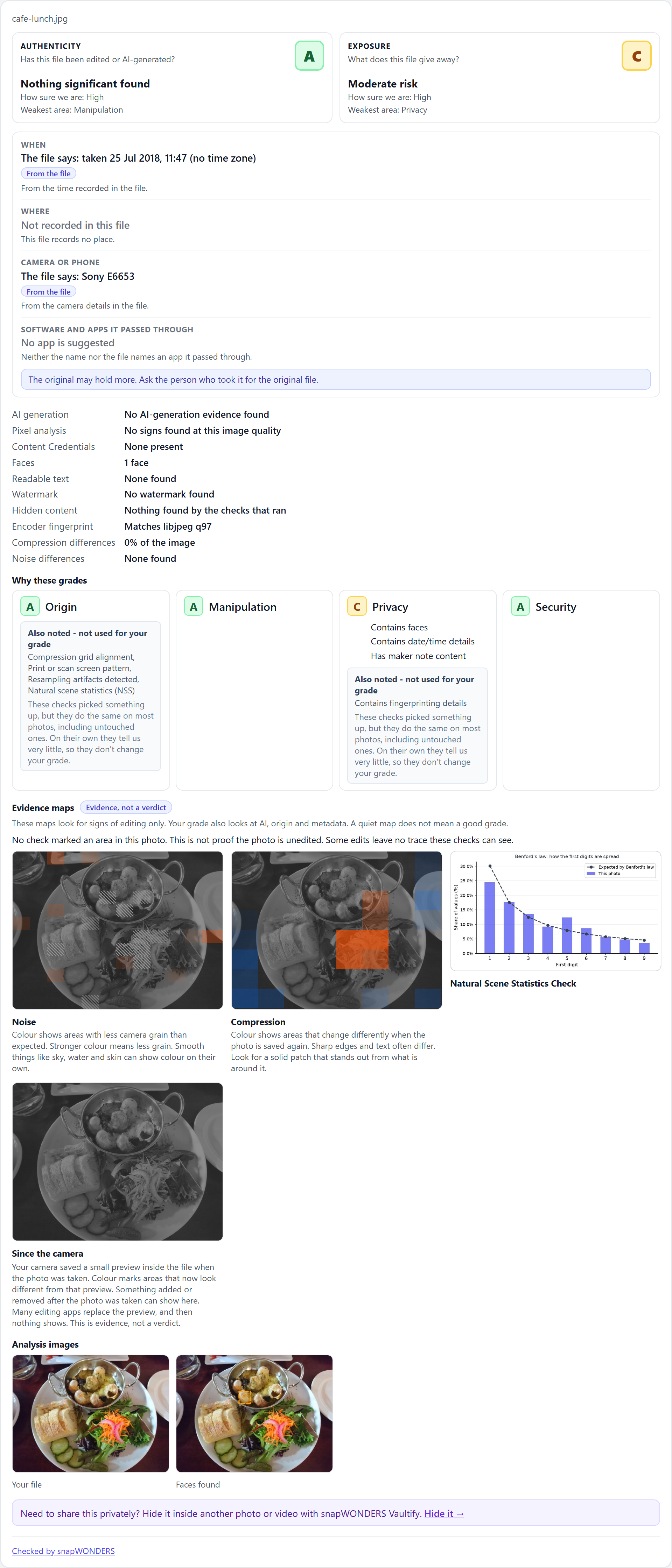
A sunny café scene with people at a table. It looks like a holiday snap, but no camera took it.
What the report tells you
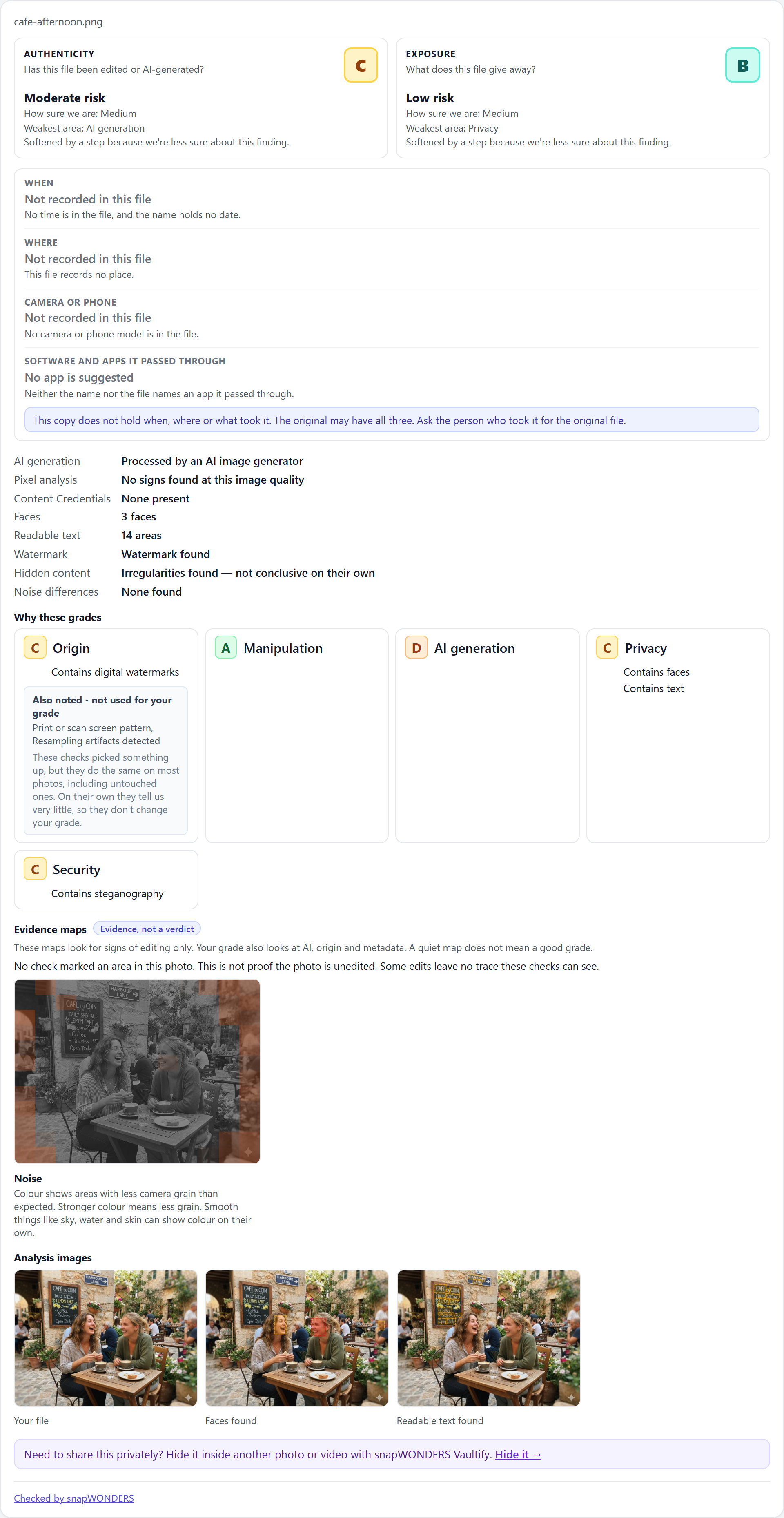
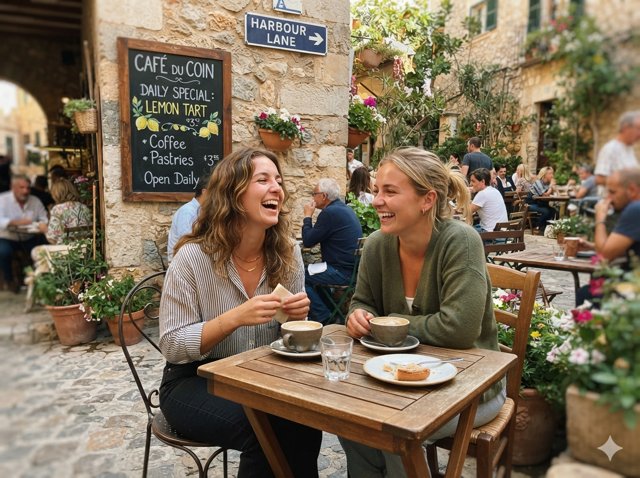
- Authenticity C, moderate risk. The weakest area is AI generation: the photo was processed by an AI image generator.
- A watermark was found in the file.
- Exposure B, low risk: three faces and fourteen areas of readable text.
- Nothing is recorded about when or where it was taken, or what took it.
Why it matters
AI images are now good enough to pass for real photos at a glance. The report shows the marks an AI generator left behind, so you know what you are looking at before you share it or use it as proof.
An edited photo
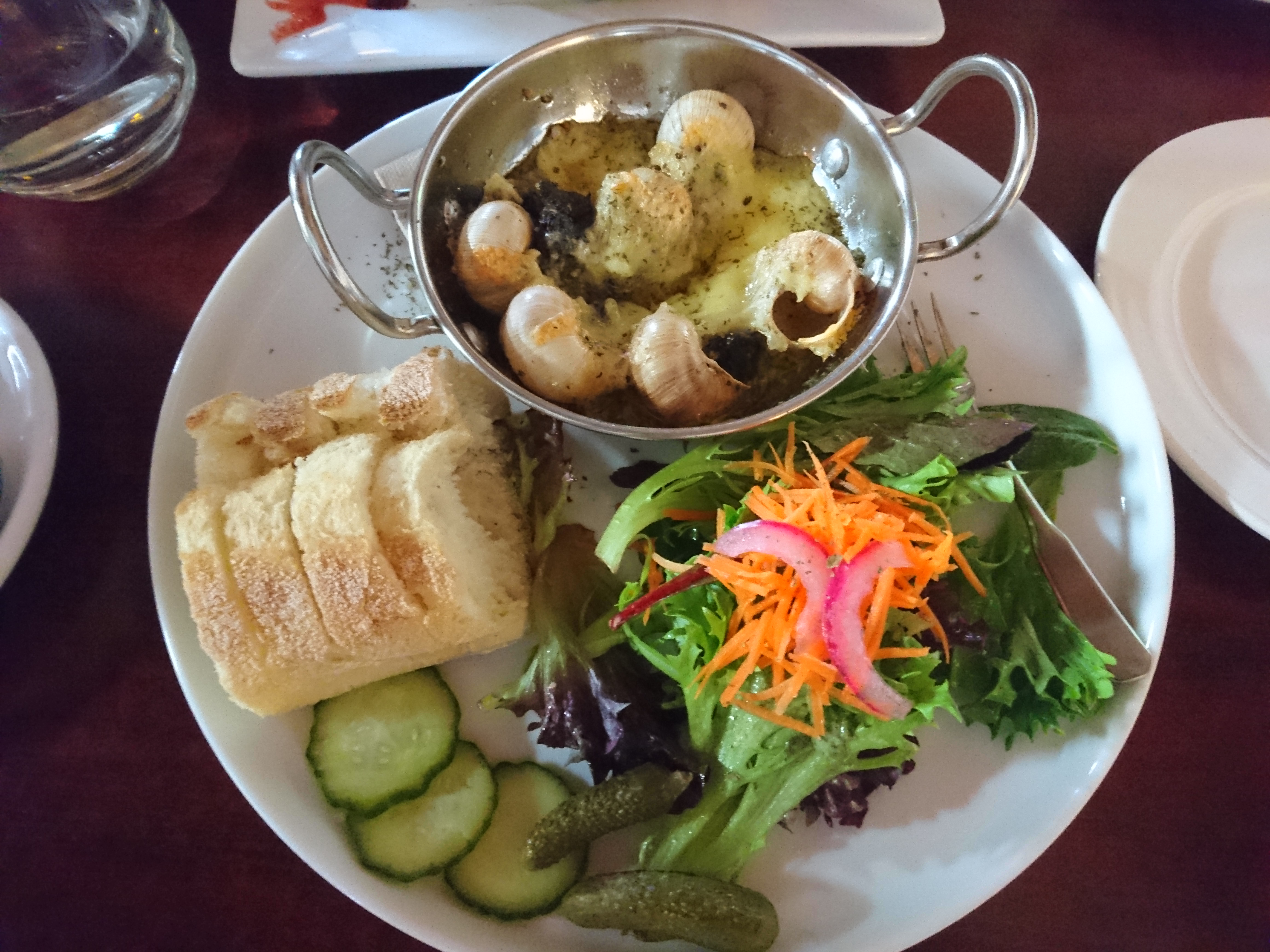
A plate of food that still carries its camera details, so at first sight it passes for an original.
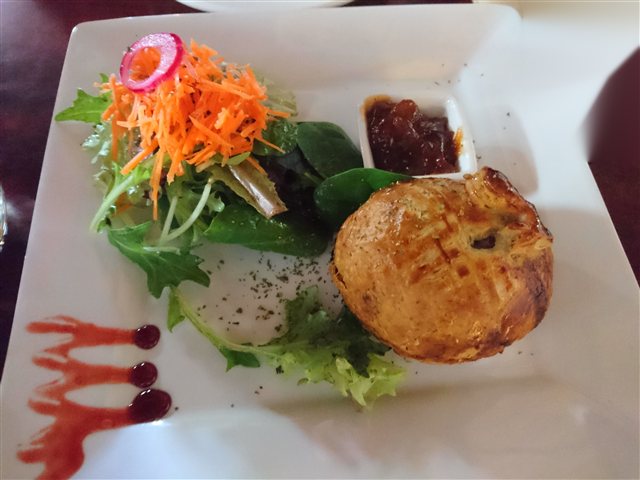
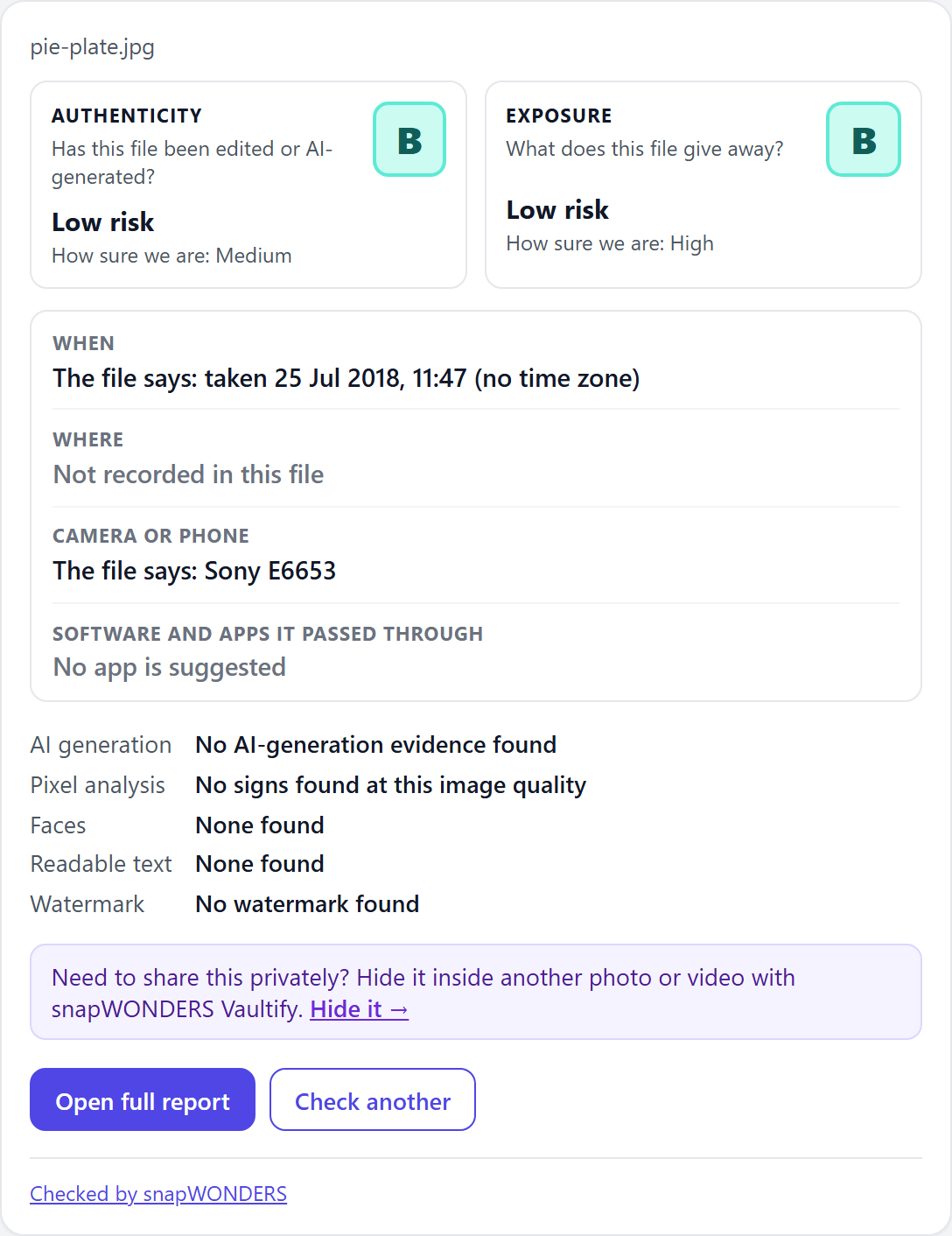
What the report tells you
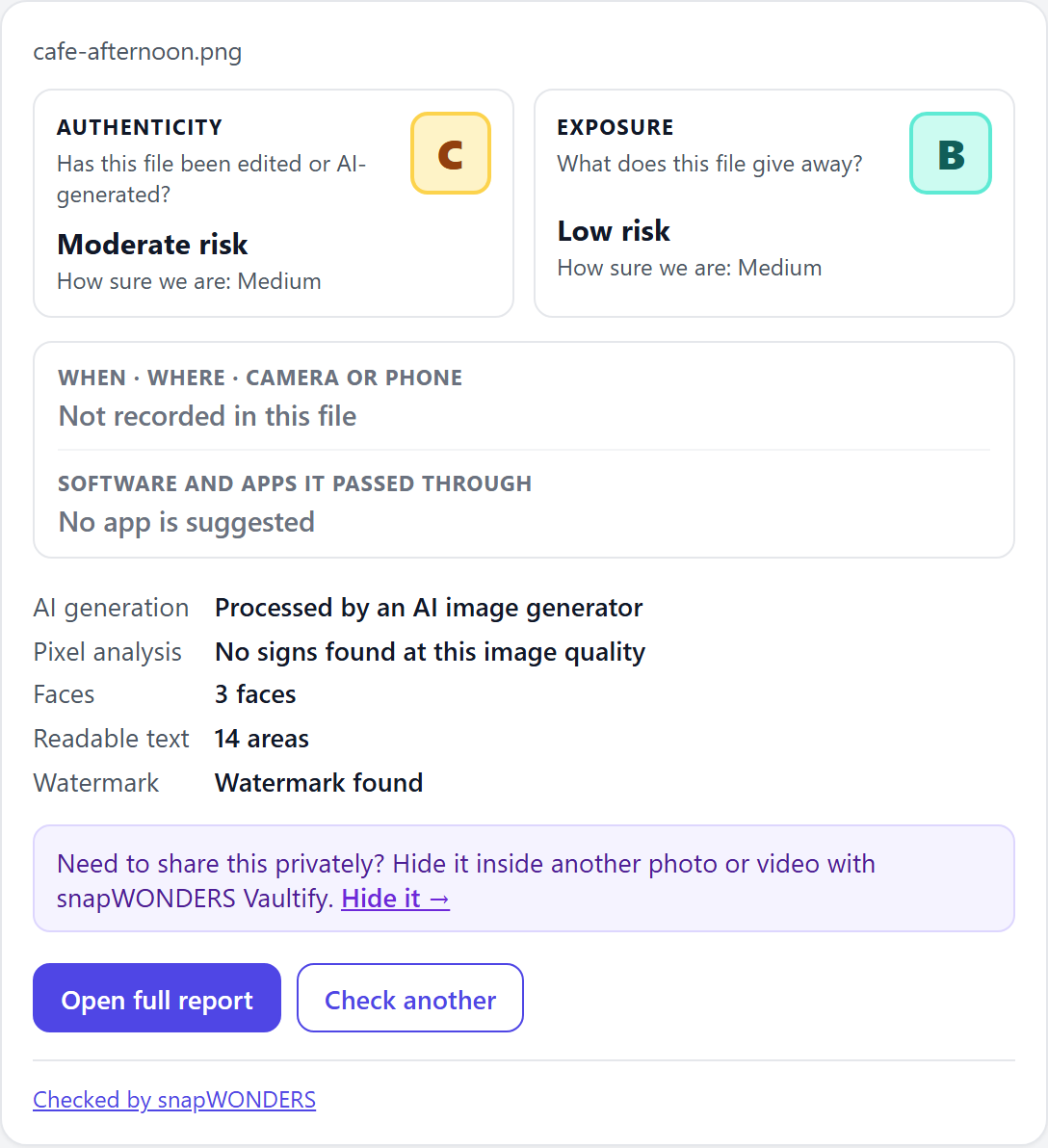
- Authenticity B, with Manipulation the weakest area at C.
- The preview the camera saved inside the file no longer matches parts of the photo, and the noise in the photo is uneven.
- The evidence maps mark the areas to look at, including the Regions and Since the camera maps.
- The file says it was taken on 25 July 2018 with a Sony E6653.
Why it matters
An edited photo can keep its original camera details, so they alone do not prove it is untouched. The evidence maps show where the photo and its own stored preview disagree, which is where an edit usually is.
A camera original
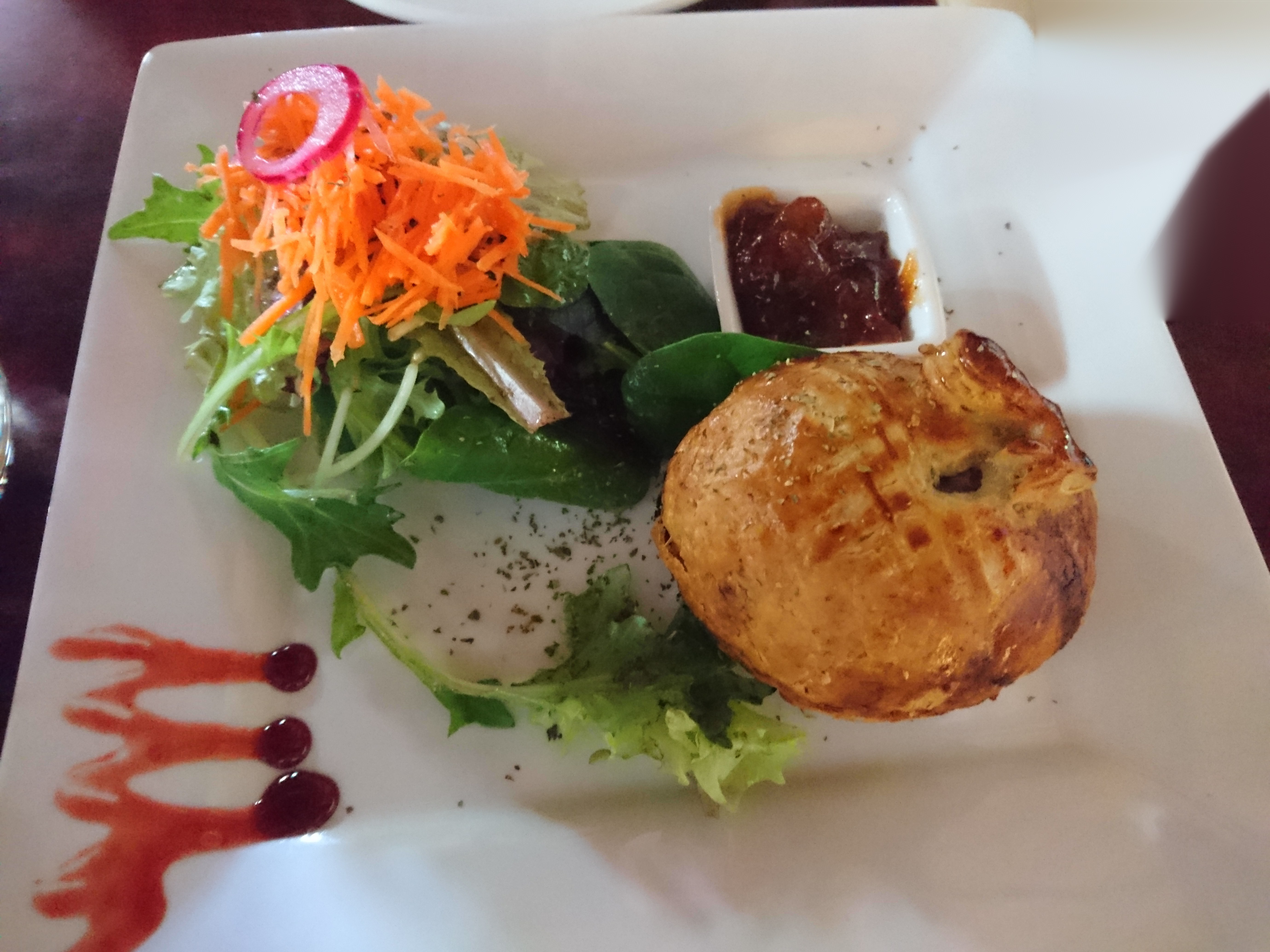
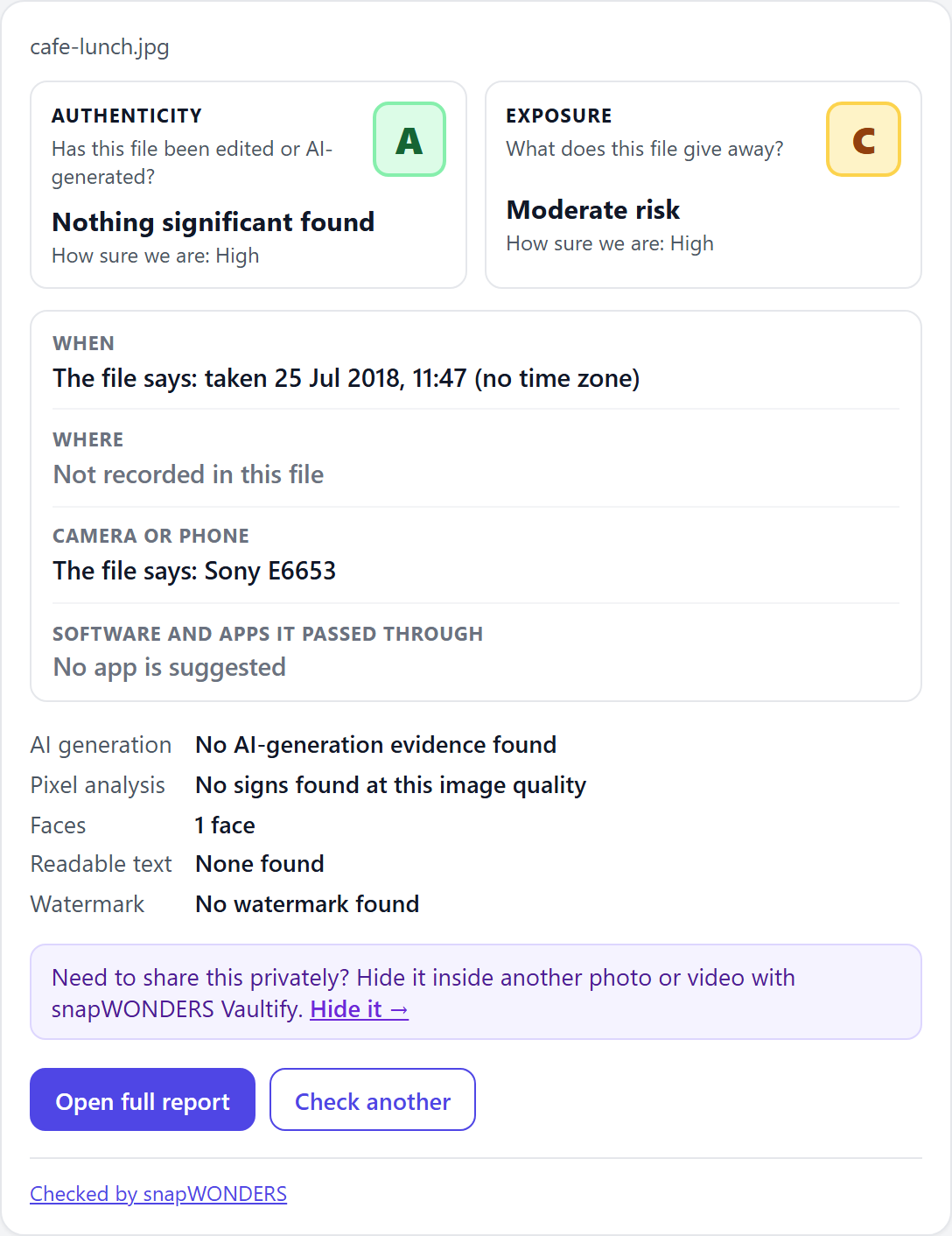
A meal photo straight from a phone camera, never edited.

What the report tells you
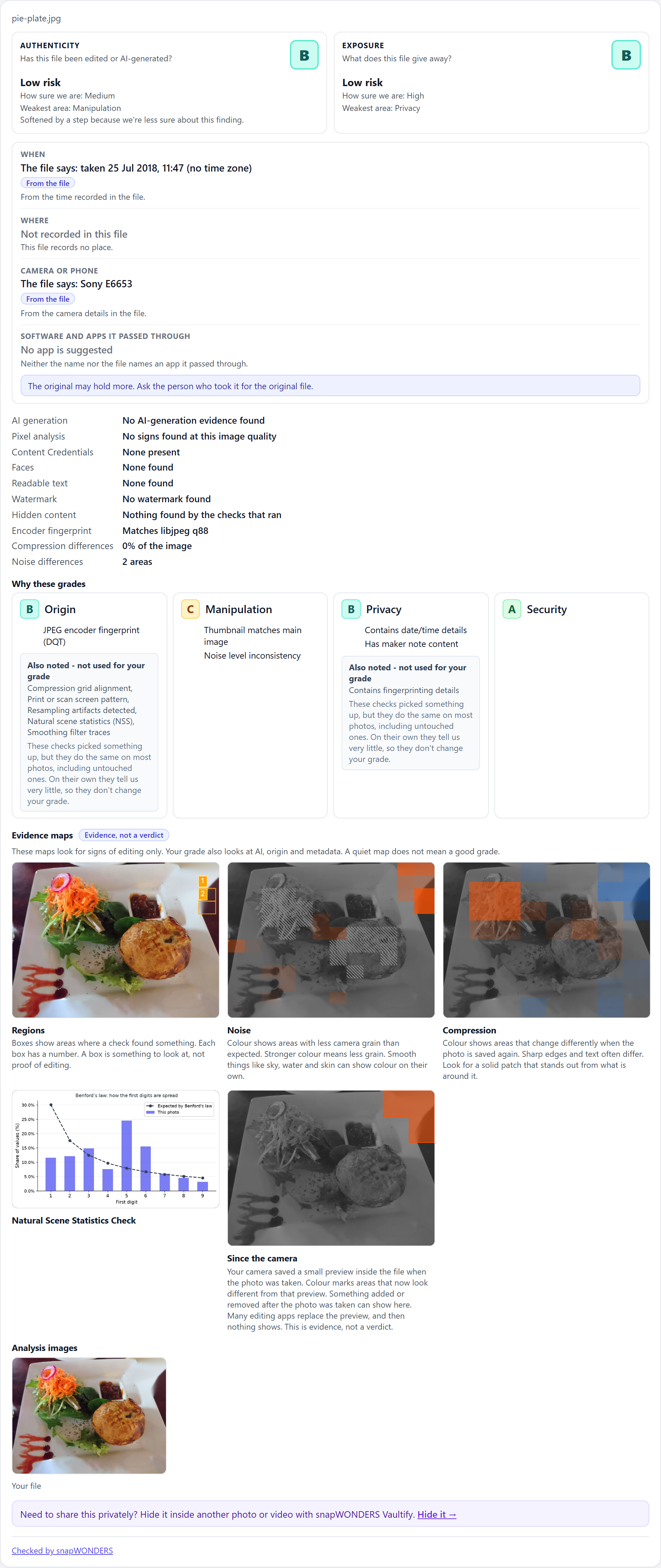
- Authenticity A, nothing significant found, with high confidence.
- Exposure C, moderate risk: it shows a face, and records the date and time and the camera maker's own notes.
- The file says it was taken on 25 July 2018 with a Sony E6653.
- No check marked an area. That is not proof a photo is unedited, and the report says so.
Why it matters
A genuine photo can still give away more than you meant to share. The two grades are separate on purpose: this one is authentic, and it still tells a stranger when it was taken and on what phone.
Check your own photos and videos
Available now
On this website
Upload a photo or video and get the full report in your browser. No app to install.
Check a file now →Available now
In your own app
Use the snapWONDERS API or an SDK (Python, JavaScript, PHP, Go) and draw the same report in your app.
See the developer examples →In your browser
Right-click any image or video on any website and check it with the snapWONDERS browser extension.
See the browser extension →On your website
Check the photos on your WordPress site and show readers the report beside them.
See all products →Steganography examples
Photos can also carry content hidden inside them. Examples are on the way showing how a snapWONDERS report looks for hidden content, and how snapWONDERS Vaultify hides your own files inside a photo or video.
Meet snapWONDERS Vaultify →The photos, results and report images on this page are © Kenneth Springer @ snapWONDERS, all rights reserved. Each report is evidence, not a verdict. See the Terms of Service.