


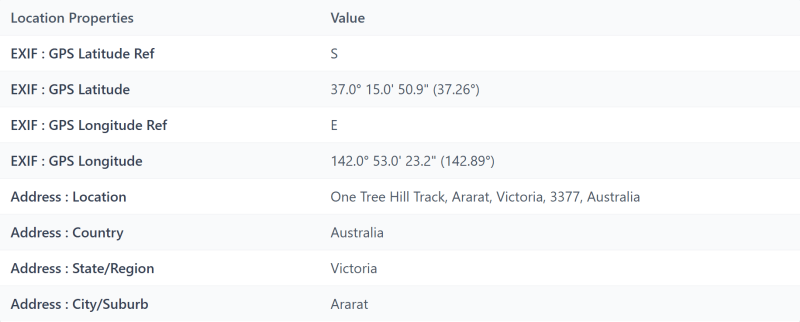
The view from One Tree Hill near Ararat, taken on a Galaxy A56 with location on. We uploaded the same photo twice: once copied off the phone over a USB cable, and once picked in Chrome on the phone itself.



What changed
- Nothing you can see. Both copies are exactly the same size.
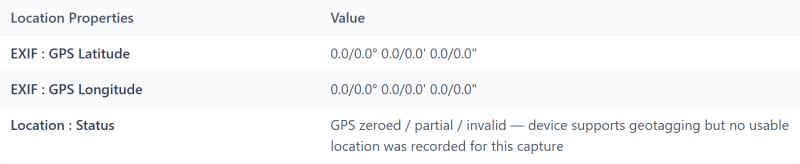
- The location. The location fields were still there, but set to zero by the time the browser uploaded the photo.
What the report said: Exposure C for the USB copy, B for the browser copy, which it flags as "your phone may have removed it". Authenticity A for both.
This was one phone, a Samsung Galaxy A56, uploading through Chrome. Other phones and browsers may behave differently.
Go deeper
- How to keep the location when you need it: How to see where and when a photo was taken
- What survives when someone sends you a photo: Can you get metadata from a photo someone sent you?, by Kenneth Springer
- Try it on your own photo
Tagged
photo-privacy


