


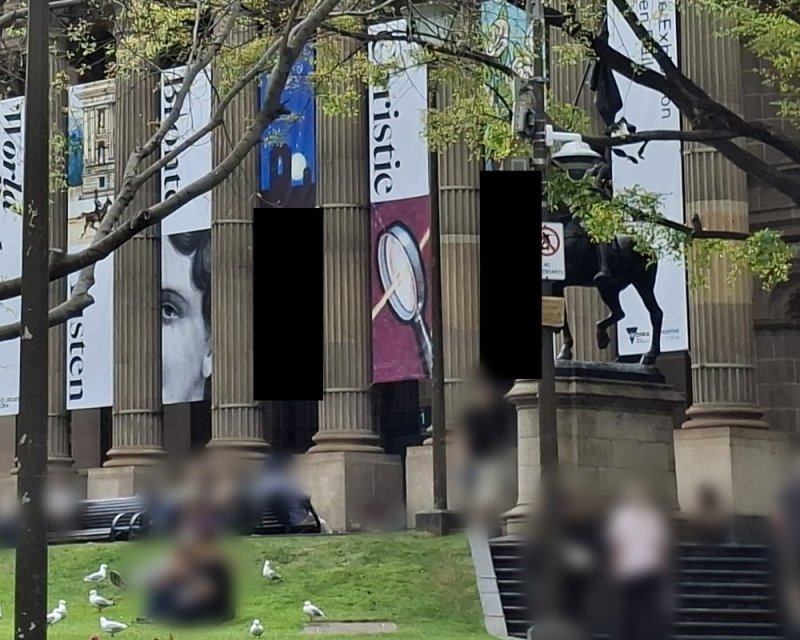
Our photo of the State Library of Victoria in Melbourne, taken on an Android phone. We pretended two exhibition names were secret, covered them with black boxes, and kept the file's original details.


What changed
- The picture. Both names are gone from the photo you see.
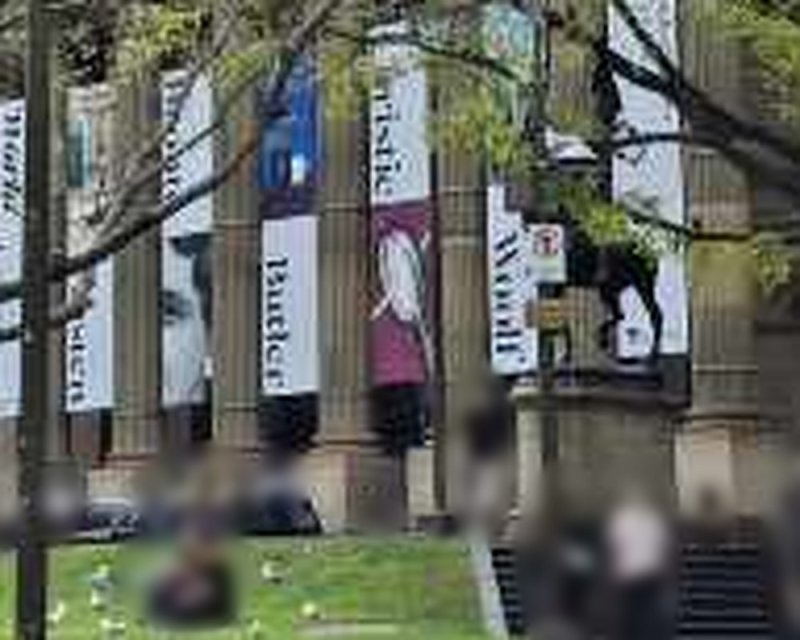
- The thumbnail. The phone's small preview was saved with the copy. It still shows both banners: "Butler" is readable, "Woolf" partly behind a sign post.
- The box itself. We drew two black boxes; the report flagged one solid-colour region.
What the report said: Authenticity A for the original, B for the blacked-out copy. It flagged a likely black-out and warned that the file had a thumbnail.

Before you share a blacked-out photo, save a copy with its details removed and check that the copy has no thumbnail.
Go deeper
- What to remove before sharing: How to remove location and metadata from a photo
- Why it happens: Are Blacked-Out Photos Really Hidden?, by Kenneth Springer
- Try it on your own photo
Tagged
photo-privacy


