snapWONDERS is modernising — introducing Vaultify, our new platform for hiding files inside photos and videos.
Try Vaultify →What’s changing →
PREPARING DIGITAL MEDIA FOR REGENERATION — PLEASE WAIT
Your Photo / Image Forensic Analysis Report
Every image is a forensic artefact. Beneath the pixels, your photo carries a detailed record — metadata
exposing where and when it was taken, a hardware identifier unique to the device that captured it,
authoring details, embedded thumbnail history, and potentially steganographic content.
Forensic analysis of this data can be used to identify, track, and authenticate both the image and its origin.
Understanding what your files reveal is the first step. Our steganography workflows go further —
embedding content inside images in ways specifically designed to resist forensic detection.
We never store your files — all content is deleted when your session ends.
Results are indicative only. All checks — including grades — are produced by automated heuristic algorithms and may contain false positives or false negatives. Results must not be used as evidence in legal proceedings, insurance claims, or professional forensic investigations, and do not constitute a professional opinion on image authenticity. See our Terms of Service for full details.
A
Privacy
Clean
Location, identity & personal information embedded in this file
Check
Result
Contains location details?
No location information has been detected
Contains faces?
'AI Face Detection' analysis did not find any faces. If this is a false negative and the photo is sensitive in nature then consider blotting out the 'faces' before sharing online.
Contains tracking?
No tracking was detected
Has maker note content?
No maker note information was detected
Contains date/time details?
No meaningful date/time detected. However, the date/time of the file can infer when content was created
Contains camera / device information?
No camera / device information was detected
Contains text?
'AI Text Detection' analysis did not find any text content. If this is a false negative and the photo is sensitive in nature then consider blotting out the 'texts' before sharing online.
Contains comments / descriptions?
No comments / descriptions was detected
Has authoring information?
No authoring information detected. You should consider adding authoring metadata to protect your works. read more
Has thumbnail(s)?
No thumbnails was detected
B
Origin
Low Risk
Evidence the file came directly from a capture device, not re-encoded by software
Check
Result
Original Photo taken from Camera?
This does not look like it is an original photo taken from a camera - READ WARNING BELOW! read more
Contains C2PA Content Credentials?
No C2PA Content Credentials found. This does not mean the image is inauthentic.
Progressive JPEG encoding?
Sequential JPEG encoding (SOF0/SOF1) — consistent with direct camera output.
Chroma subsampling
Chroma subsampling: 4:2:0 — most common camera output — no subsampling concern.
F
Manipulation
Critical
Signs of editing, compositing, or re-encoding of pixel content after capture
Check
Result
Copy-move regions detected?
Copy-move regions detected. Multiple similar image blocks found at spatially distant locations — consistent with content cloning or object duplication. read more
Resampling artifacts detected?
Strong resampling artifacts detected. Periodic patterns in the prediction residual strongly indicate the image (or a region) has been resized and re-saved. read more
Noise level inconsistency?
Significant noise inconsistency detected. Noise levels vary strongly across image regions — a strong indicator of compositing, copy-paste, or inpainting from multiple sources.
Printer / scanner artifact?
Possible printer / scanner halftone pattern detected. Periodic peaks in the FFT power spectrum suggest the image may have been printed and re-scanned — a common technique to obscure editing history.
Natural scene statistics (NSS)?
DCT coefficient statistics deviate from natural scene statistics. The distribution of first significant digits in block DCT coefficients deviates from Benford’s law — a potential indicator of synthetic generation or heavy post-processing.
GPS timezone triangle?
GPS timezone triangle not applicable or not run (requires GPS coordinates, GPS UTC timestamp, and EXIF DateTimeOriginal).
JPEG block grid alignment?
JPEG block grid misalignment detected (offset X:0px, Y:6px). The JPEG 8×8 DCT block grid does not start at pixel (0,0) — consistent with a crop or composite operation that shifted the grid relative to the original capture.
Compression artefact inconsistency (ELA)?
No manipulation detected. Mean residual 2.2/255, 0.0% of pixels in the high-artefact range — compression artefacts are consistent throughout, consistent with a single-pass encode. read more
Thumbnail matches main image?
Thumbnail mismatch check not available — no EXIF thumbnail detected or format not applicable. read more
Histogram re-encoding gaps?
Luminance histogram is continuous with no significant gaps (0 zero bins in the usable range). read more
JPEG Ghost (prior save quality)?
JPEG Ghost detected at quality 95. The image shows evidence of a prior JPEG save at a different quality setting — may indicate re-compression or editing. read more
Double JPEG compression?
No double JPEG compression detected. Compression quality probe shows a clean monotone residual curve consistent with a single-pass JPEG encode. read more
Metadata field consistency?
No cross-field metadata inconsistencies detected. read more
Orientation tag consistent?
Orientation consistency check not applicable — no EXIF Orientation tag present. read more
Flash tag consistent?
Flash consistency check not applicable — no EXIF Flash tag present. read more
Anti-forensics patterns?
No metadata stripping or anti-forensics patterns detected.
Location, identity & personal information embedded in this file
Origin
Evidence the file came directly from a capture device, not re-encoded by software
Original Photo taken from Camera Concerns
This does not look like it is an original photo taken from a camera. If you have already shared or sent the original photo then the personal & private information contained may already be extracted and removed. Otherwise the photo has been edited or resized and have some metadata lost in the process. It is always best to use the original photo taken from the camera as this is generally what is selected when sharing online. Use the original source to see what was revealed to the other party (i.e. the social platform, online service, or recipient).
C2PA Content Credentials
No C2PA Content Credentials were found in this file. C2PA (Coalition for Content Provenance and Authenticity) is an open standard that embeds verifiable provenance metadata — including the creator tool, signing identity, and edit history — directly into the file. The absence of C2PA data does not mean the content is inauthentic; most files do not carry it.
Manipulation
Signs of editing, compositing, or re-encoding of pixel content after capture
Clone / Copy-Move Detection
Copy-move regions detected. 38 matching block pairs found at spatially distant locations. This is consistent with content cloning, object duplication, or background filling.
About this check: Copy-move forgery is a common image manipulation technique where a region of the image is copied and pasted elsewhere — to clone an object, cover up content, or duplicate a texture. This check divides the image into overlapping 16×16 px blocks and computes a compact block-DCT descriptor for each. Blocks whose descriptors match closely (within a Euclidean distance threshold) but are spatially far apart are flagged as candidate copy-move pairs. Low-variance blocks (uniform textures such as sky or walls) are excluded to suppress false positives. False alarms can occur on highly repetitive patterns such as fabric, grass, or tiled floors.
Resampling / Interpolation Detection
Strong resampling artifacts detected. Periodic patterns detected in the horizontal and vertical prediction residual — strongly consistent with the image (or a region) having been resized and re-saved.
Field
Value
Verdict
Bad
Horizontal peak ratio
193
Vertical peak ratio
148
Horizontal periodic
Yes
Vertical periodic
Yes
About this check: When an image is resized using bilinear, bicubic, or Lanczos interpolation, the resampling kernel introduces periodic correlations between adjacent pixels. This check computes a prediction residual (each pixel minus the mean of its left and right neighbours), averages the residual across rows and columns to produce 1D signals, then looks for a dominant spectral peak (FFT peak-to-mean ratio) that would indicate a regular, repeating pattern. A strong periodic peak suggests the image was resized; the axis (horizontal/vertical or both) indicates the direction of resampling. Nearest-neighbour scaling and lossless crops do not produce this pattern. Heavy JPEG compression can partially mask it.
ELA / Compression Artefact Inconsistency Analysis
No significant compression artefact inconsistencies detected. ELA residuals are consistent with a uniformly compressed image.
ELA Details
Value
Re-compression quality
85/100
Pixels analysed
1,500,896
Mean ELA residual
2.18 / 255
Residual std deviation
2
High-residual pixels (>30)
0.00% of image
Maximum residual (extrema)
25 / 255
About ELA: Error Level Analysis re-compresses the image at a known JPEG quality level and measures the per-pixel difference between the original and re-compressed versions. A uniformly compressed image produces a uniform residual map. Composited or locally edited regions — having a different compression history — produce elevated residuals. Results are less conclusive on images that have already been re-encoded multiple times.
Histogram / Re-encoding Gap Analysis
No significant histogram gaps detected. The luminance histogram is continuous with only 0 zero bins in the usable range — consistent with an image that has not undergone repeated lossy re-encoding or destructive levels adjustment.
Histogram Analysis Details
Value
Pixels analysed
1,500,896
Zero bins (range 10–245)
0
Comb score (pairs)
0
Comb pattern detected
No
Verdict
Good
About this check: Every lossy compression cycle discards certain tone values from the luminance histogram, leaving zero-count bins ("gaps") that cannot be recovered by subsequent saves. An image saved once from a camera has a near-continuous histogram; an image that has been re-encoded, resaved, or edited repeatedly develops progressively more gaps. A comb-like alternating zero/non-zero pattern specifically indicates a levels or curves adjustment applied to an already-compressed image. Analysis excludes the extreme shadows (0–9) and highlights (246–255) to avoid false positives from clipping.
Metadata / Cross-field Consistency Analysis
No cross-field metadata inconsistencies detected. All checked metadata fields are internally consistent.
Double JPEG Compression Detection
No double JPEG compression detected. The re-compression residual curve is monotonically decreasing — consistent with a single-pass JPEG encode. No quantisation ghost was found across the probed quality range.
Probe Quality
Mean Abs. Difference
Quality 60
3
Quality 70
2
Quality 80
2
Quality 90
1
Quality 95
1
Non-monotone rises
0
Double JPEG detected
No
About this check: When a JPEG is compressed twice (camera original at quality Q1, then re-saved at quality Q2), the quantisation tables from the first pass leave a characteristic fingerprint. Re-compressing the doubly-encoded image at a quality near Q1 produces a "ghost" — a local error minimum below the expected monotone trend. This probe tests five quality levels (60, 70, 80, 90, 95) and checks whether the mean absolute residual (vs the original) decreases consistently as quality increases. A rise in the residual at any quality level is the ghost signature. Note: this is a statistical heuristic; some innocent operations (thumbnail extraction, embedded preview generation) can also produce minor non-monotone artifacts.
JPEG Ghost Detection
JPEG Ghost detected. The probe found a MAD minimum at quality 95 (dip depth: 21.9%). This indicates the image was originally saved as a JPEG at approximately quality 95 before any subsequent processing. A ghost at a quality different from the current save settings can indicate re-compression — for example, uploading to a social media platform that re-encodes at a lower quality, or editing and re-saving the image in a different application. This does not by itself imply manipulation.
Probe Quality
Mean Abs. Difference
Quality 5
11
Quality 10
7
Quality 15
6
Quality 20
5
Quality 25
4
Quality 30
4
Quality 35
4
Quality 40
3
Quality 45
3
Quality 50
3
Quality 55
3
Quality 60
3
Quality 65
3
Quality 70
2
Quality 75
2
Quality 80
2
Quality 85
2
Quality 90
1
Quality 91
1
Quality 92
1
Quality 93
1
Quality 94
1
Quality 95 ★
1
Ghost quality
95
Ghost depth
21.9%
About this check: The JPEG Ghost technique re-saves the image at every quality level from 5 to 95 and measures the mean absolute pixel difference vs the original. For a singly-saved JPEG the error decreases smoothly. If the image was previously saved at quality Q, re-saving at Q produces a local minimum — the "ghost" — because the quantisation tables approximately match. This probe uses a coarse sweep (every 5th quality) followed by a fine sweep around the minimum (±4 qualities) for precision. A ghost does not confirm tampering — it confirms that the image passed through a JPEG encoder at approximately quality Q at some point in its history.
Orientation Consistency
Orientation consistency check was not applicable for this file type.
Flash Consistency
Flash consistency check was not applicable for this file type.
Thumbnail / Embedded Preview Mismatch Analysis
Thumbnail mismatch analysis is only available for JPEG images with an embedded EXIF thumbnail. This file either is not a JPEG or contains no EXIF block.
Anomalies detected — statistical or frequency-domain irregularities were found. This may indicate steganography or an invisible watermark, but is not conclusive.
Pixel-Level Statistical Analysis — These tests examine the raw pixel values of the image for patterns that are statistically unlikely in natural photos and may indicate hidden data embedded by steganography tools.
Pixel-Level Analysis
Value
Image Complexity
Colour diversity is consistent with a natural photograph. Colour diversity: 221/256 distinct values, dominant value 1.2% of pixels, information content 7.30 bits. Tests calibrated for natural photos may be less reliable on synthetic or cartoon content.
LSB Chi-Square
p-value: 0.0000 — suspicion: high 1 Tests whether adjacent pixel value pairs are unnaturally equal in frequency — the signature of LSB substitution steganography.
RS Analysis
RS ratio: 1.0000 — suspicion: high 1 Regular-Singular analysis. Groups pixels into "Regular" and "Singular" sets — hidden data disrupts the natural R/S balance.
Histogram Even/Odd Bias
bias score: 0.1552 — suspicion: none Checks whether even and odd pixel brightness values are unusually balanced — overwriting the LSB of every pixel creates this artefact.
JPEG Huffman Tables (DHT)
Standard IJG Huffman tables — consistent with original camera output Compares the JPEG compression tables against the 4 standard IJG tables. Non-standard tables can indicate the image was re-saved, possibly by a watermarking tool.
Legend:
Chi-square and RS results on JPEG files may include false positives because JPEG re-compression alters pixel values in ways that can resemble steganography patterns.
Frequency-Domain & AI Analysis — These tests look at the mathematical structure of the image rather than raw pixel values, detecting invisible watermarks and anomalies that survive JPEG compression.
Frequency-Domain & AI Analysis
Value
DCT Mid-Frequency Anomaly
score: 18.8599 — normal Analyses the kurtosis (peakedness) of DCT coefficients in the mid-frequency range. Watermark embedding tools often leave a flatter distribution here than natural images.
DCT Note
normal distribution
Wavelet Noise Floor
score: 25.5059 — normal Decomposes the image into frequency sub-bands using Daubechies-4 wavelets and checks whether the high-frequency noise floor is unnaturally flat — a sign that data has been injected.
Wavelet Note
normal noise floor
SD Invisible Watermark
confidence: 0.00 — not detected DWT-DCT-SVD blind watermark detector. Looks for the specific frequency-domain pattern left by stable diffusion and similar AI image generation tools.
SD Note
not detected
Image Properties
Copyright, metadata types & format details
Add or Modify Copyrights / Authoring Details
Add or modify Copyrights / Authoring to your own content. Protect your works and declare ownership to your photo / images and metadata. Reduce photo theft by signing your works.
This section details the break down of the photo / image and decoding the embedded metadata.
General
Property
Value
File Name
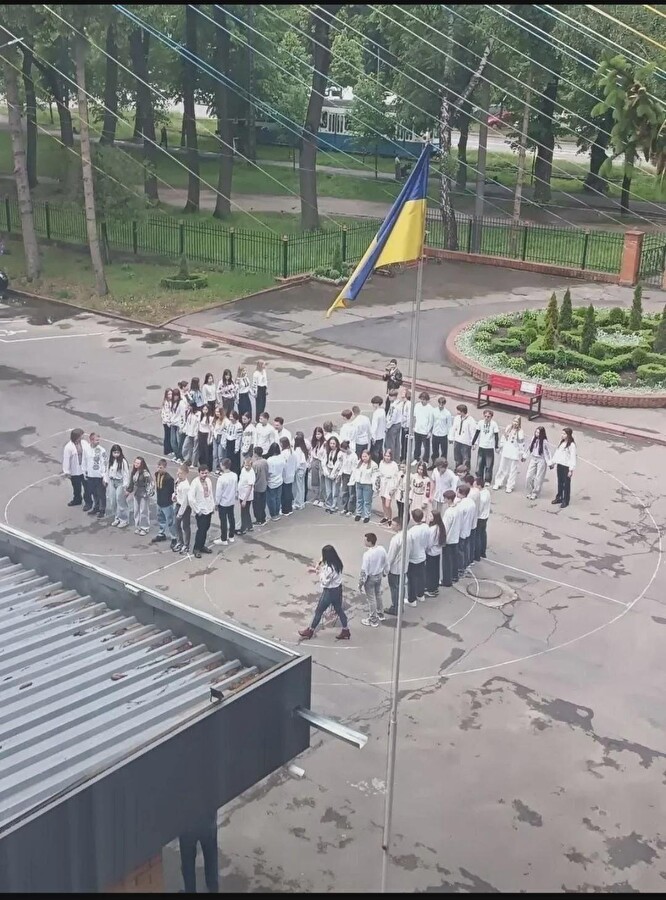
meneame-media-link-4183968.jpeg
File Size
221,802 bytes
Image Type
Jpeg
Image Dimensions
1080 x 1459 (Large images may be re-sized)
Image Data Size
221,211 bytes
Number of Sections Found
6
Sections Found
DHT, DQT, EOI, SOF0, SOI, SOS
Main Photo / Image
The main photo / image may be scaled to a smaller size if it has a width or height larger than 900 pixels. We do not store photos or images and content is removed when your session has ended
[ L2: 1 (1 symbol encoded with 2-bit patterns); L3: 5 (5 symbols encoded with 3-bit patterns); L4: 1 (1 symbol encoded with 4-bit patterns); L5: 1 (1 symbol encoded with 5-bit patterns); L6: 1 (1 symbol encoded with 6-bit patterns); L7: 1 (1 symbol encoded with 7-bit patterns); L8: 1 (1 symbol encoded with 8-bit patterns); L9: 1 (1 symbol encoded with 9-bit patterns) ]

 /
/  /
/  — Browsing Safely (